

Deploy from Claude Desktop — Connect VibeHost in 60 Seconds
Add VibeHost as a custom connector in Claude Desktop. Your Claude artifacts get a permanent, shareable URL — no terminal, no code, no copy-paste.
You built something great in Claude — a dashboard, a report, an interactive tool. Now someone asks: "can you send me a link?"
Claude's built-in Publish button creates a public chatgpt.com URL that anyone can see. If that's fine, you're done. But if you want a permanent URL you control, on your own subdomain, with privacy settings — connect VibeHost.
No terminal. No code. Just a one-time setup in Claude Desktop, then say "deploy this" in chat.
Connect VibeHost to Claude Desktop
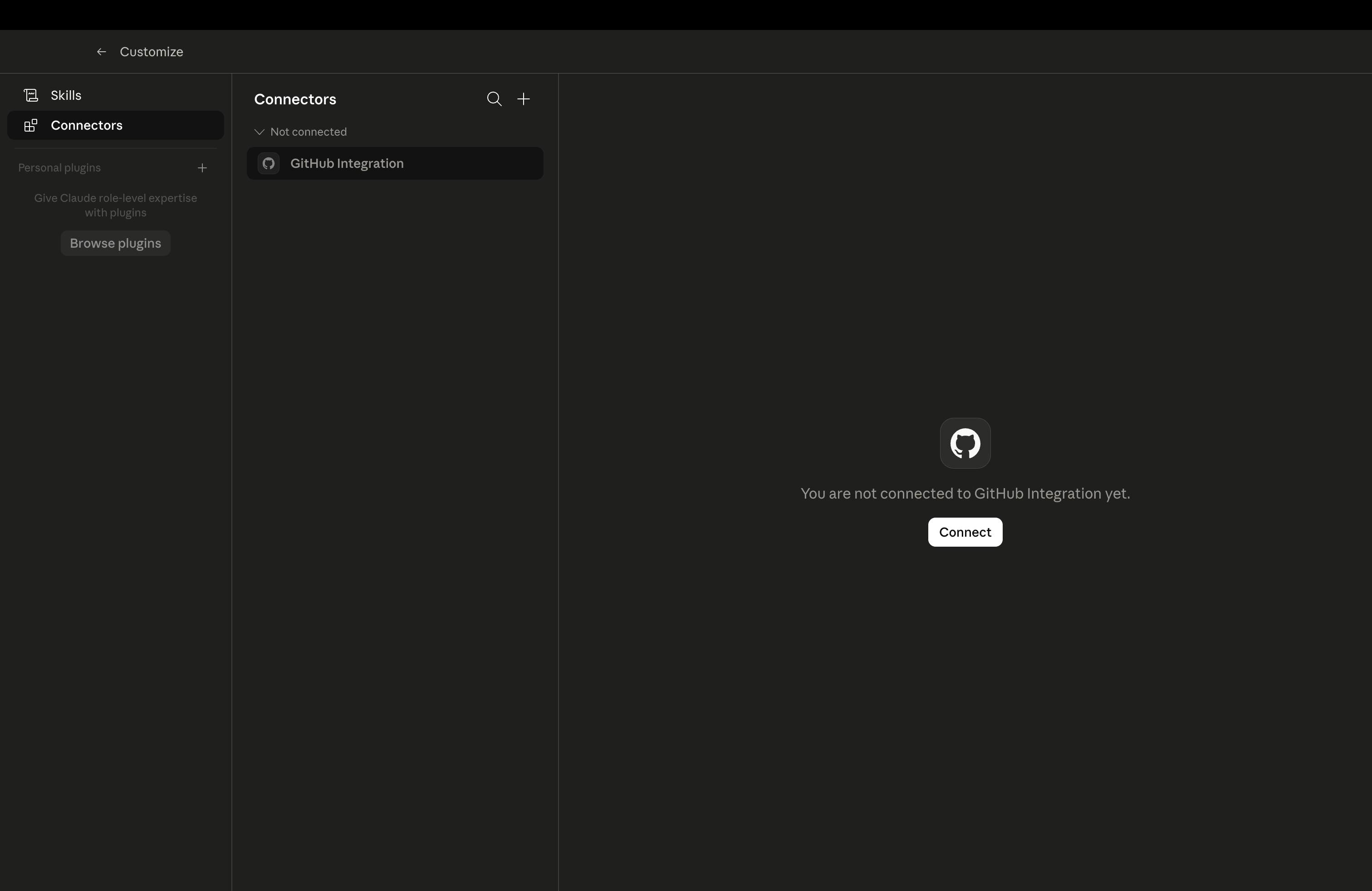
Step 1 — Open Connectors
Open Claude Desktop. Click your profile icon → Customize → Connectors.
You'll see the Connectors panel with any existing integrations (e.g. GitHub).
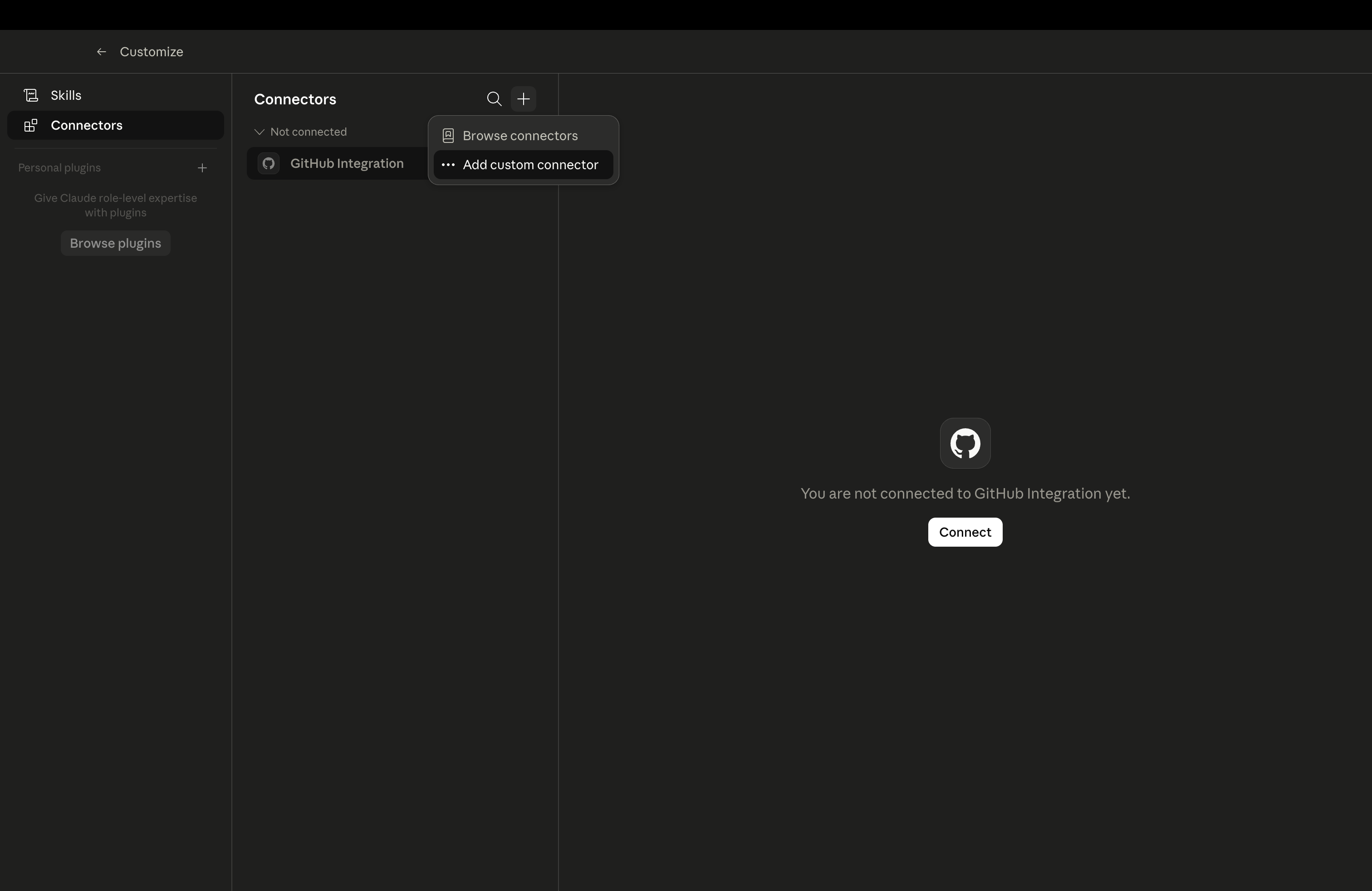
Step 2 — Add custom connector
Click the + button in the top-right corner of the Connectors panel. Select Add custom connector from the dropdown.
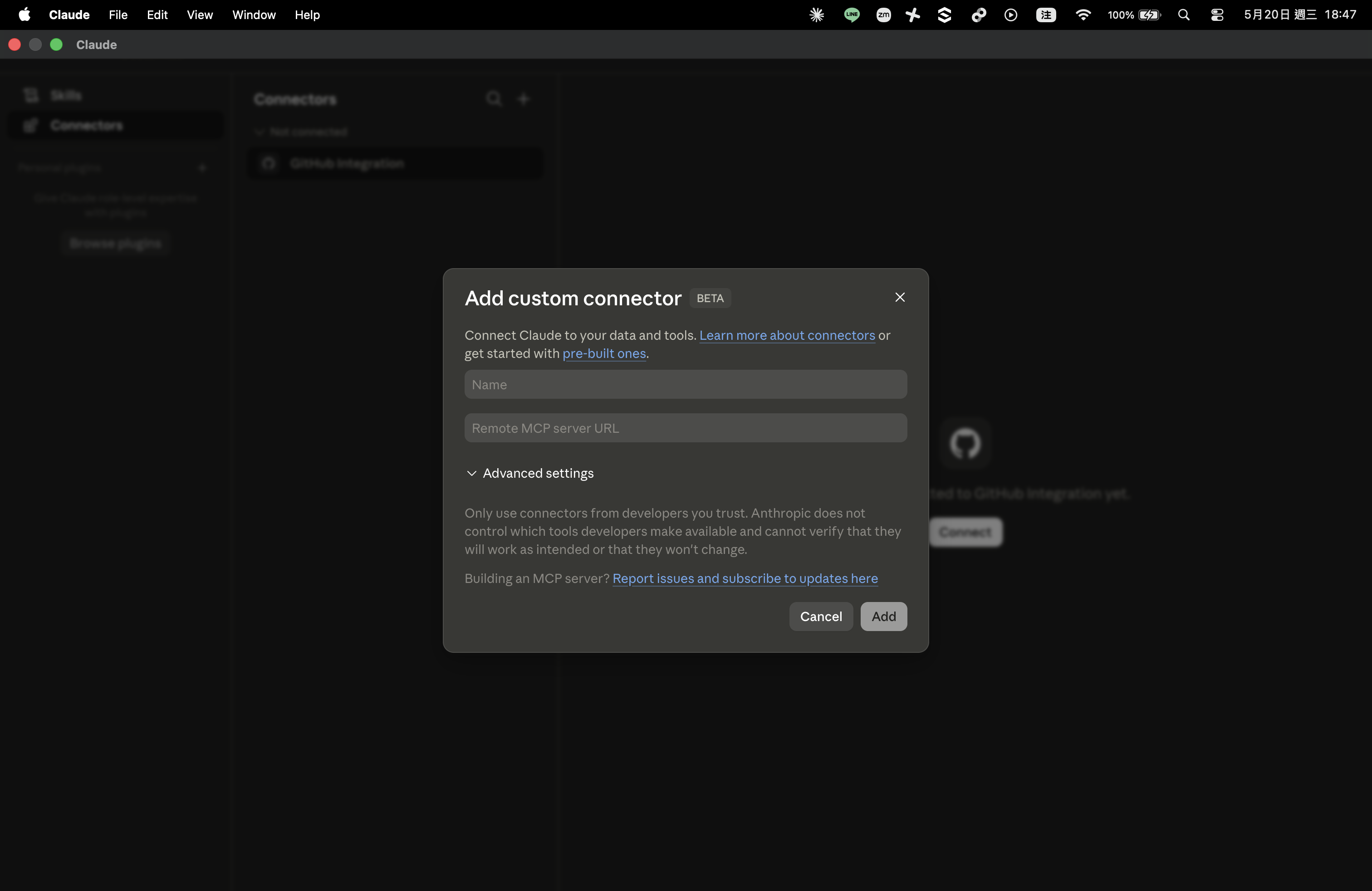
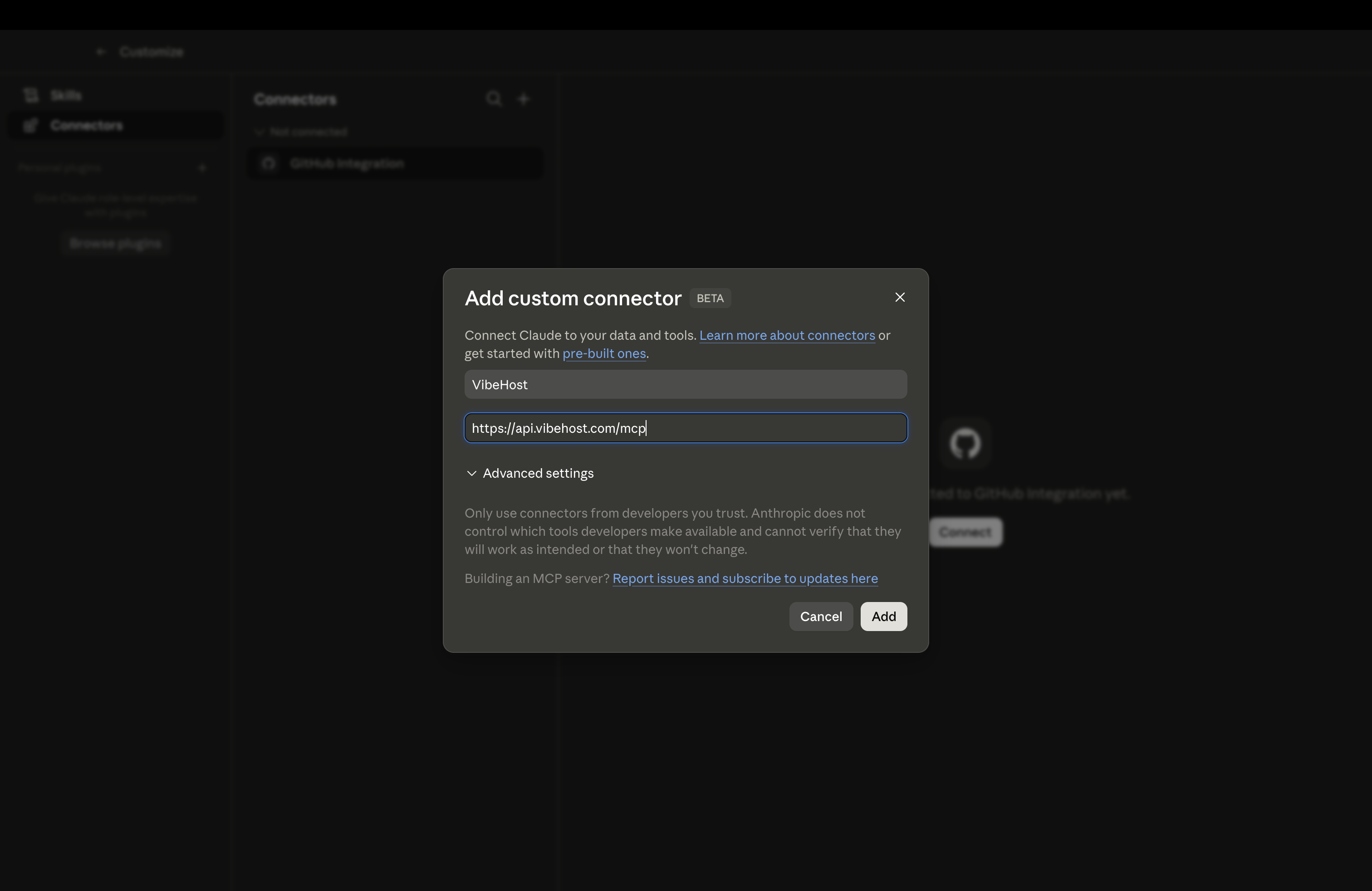
Step 3 — Enter VibeHost details
In the dialog, fill in:
- Name:
VibeHost - Remote MCP server URL:
https://api.vibehost.com/mcp
Leave Advanced settings as-is. Click Add.
Step 4 — Authorize
VibeHost now appears in your Connectors list with a CUSTOM badge. Click Connect — this opens your browser for a one-time OAuth sign-in (Google or email, same as vibehost.com).
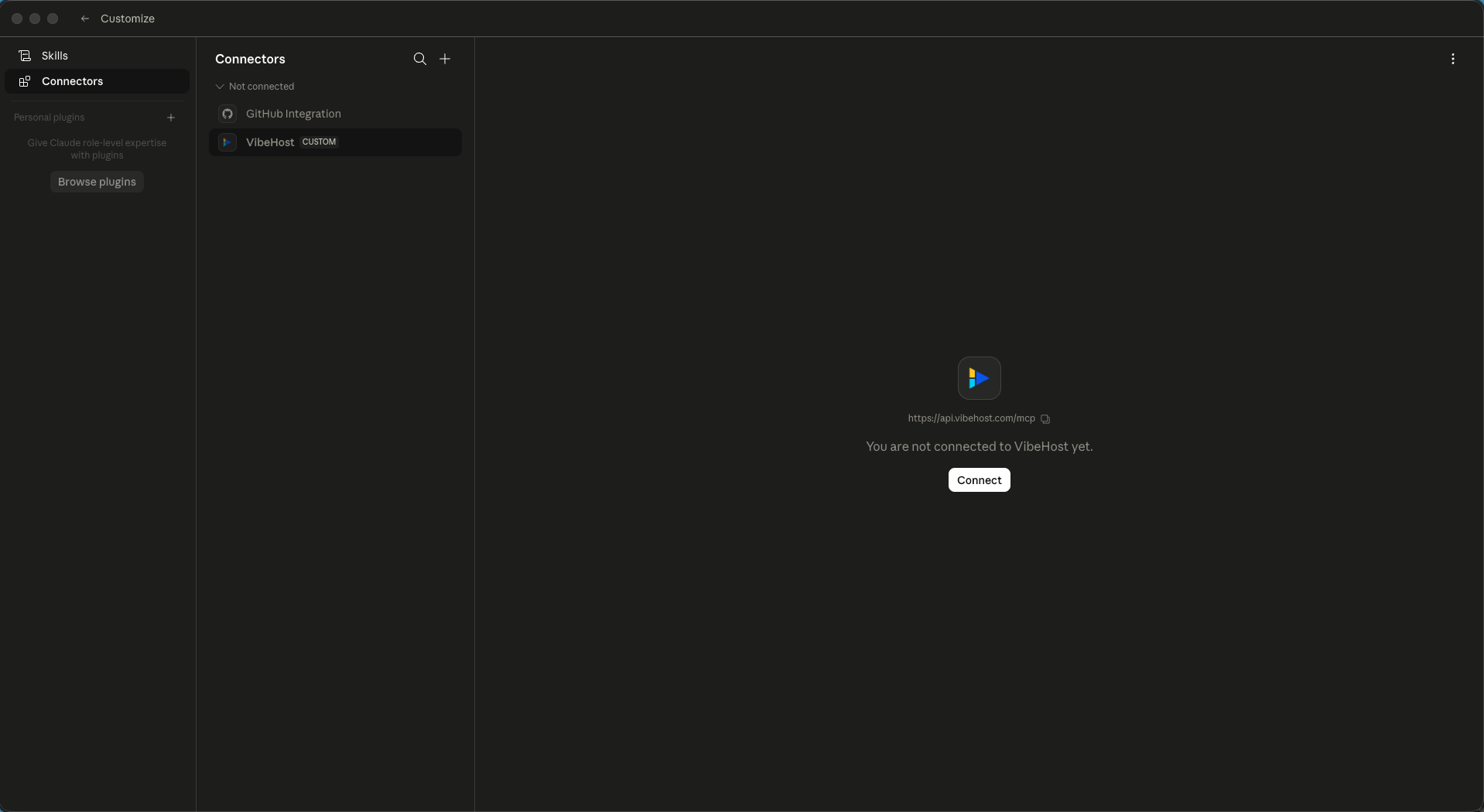
Once authorized, Claude Desktop can deploy to VibeHost. The connection persists across sessions — you only do this once.
Deploy an artifact
With VibeHost connected, just tell Claude what you want:
Deploy this to VibeHost.
Or be more specific:
Deploy this dashboard to VibeHost as an app called "q2-metrics". Make it public.
Claude calls create_app + create_deployment behind the scenes and returns a live URL like https://q2-metrics-yourworkspace.vibehost.space.
The artifact renders exactly as you see it in the Claude preview — interactive elements, charts, animations all work. Anything that needs a backend (API calls to localhost, database connections) won't work since VibeHost serves static files.
What you can do from chat
Once connected, you can ask Claude to:
| Say this | What happens |
|---|---|
| "Deploy this to VibeHost" | Creates an app + deploys the current artifact |
| "Update the deploy" | Pushes a new version to the same URL |
| "Make it public" / "Make it private" | Changes visibility |
| "Roll back to the previous version" | Reverts to the last deployment |
| "Share this with sarah@acme.com" | Adds a viewer grant by email |
| "Give me a share link that expires in 7 days" | Creates a time-bound access link |
| "Delete the app" | Removes the app and all deployments |
Claude will ask for confirmation before destructive actions (delete, change visibility to public).
When to use this vs. the Chrome extension
| Claude Desktop + MCP | Chrome extension | |
|---|---|---|
| How | Talk to Claude in chat | Click a button on the artifact |
| Best for | Iterating on deploys ("make it public, now roll back, now share with Sarah") | Quick one-off deploys from any AI canvas |
| Works with | Claude Desktop only | Claude, ChatGPT, Gemini, AI Studio, v0 |
| Access control | Full (grants, share links, passwords, visibility) | Basic (private by default, change via CLI/dashboard) |
Both deploy to the same VibeHost backend. A deploy started from the extension can be updated from chat, and vice versa.
Troubleshooting
"You are not connected to VibeHost yet" — Click the Connect button in Connectors → VibeHost. Complete the OAuth flow in your browser.
Claude says it can't find VibeHost tools — Close and reopen Claude Desktop. Check that VibeHost appears in Connectors with status "Connected" (not "Not connected").
Deploy fails with "UNAUTHENTICATED" — Your OAuth token may have expired. Go to Connectors → VibeHost → click the three-dot menu → Reconnect.
Artifact deploys but doesn't render correctly — VibeHost serves static files. If your artifact fetches from localhost or calls a backend API, those calls will fail once deployed. Keep artifacts self-contained.
See also
- MCP server — full tool list and OAuth details
- Chrome extension — one-click deploy from Claude Artifacts in the browser
- Grants and visibility — access control model
- Share links — time-bound access without sign-up
Personal access tokens
Long-lived bearer tokens for CI and external integrations. Scoped per resource group, scoped per workspace.
Chrome Extension — One-Click Deploy from ChatGPT, Claude, Gemini, and v0
Deploy from Gemini, AI Studio, ChatGPT, Claude Artifacts, and v0.dev with one click — or snapshot any webpage as a static deploy.